Public ERIC
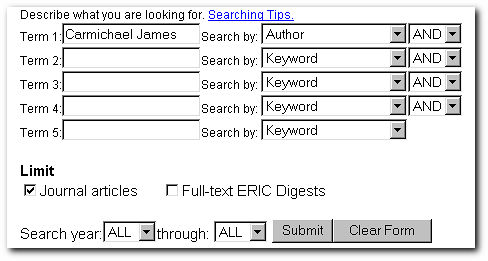
Searching by an author's name using the Public version of ERIC is easy. Simply type in the name (last name first); then set the "Search by" delimiter to author. You can also, as I did here, limit the search to retrieve only journal articles.
First Search ERIC
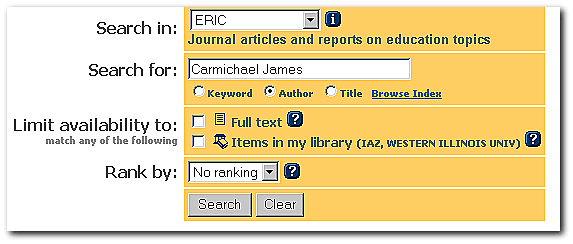
The basic Author search using the First Search interface is easy. Simply choose the "Author" radio button and type in the author's name, last name; first name. As below. This search will retrieve all the persons named "James Carmichael" regardless of their middle name or initial.
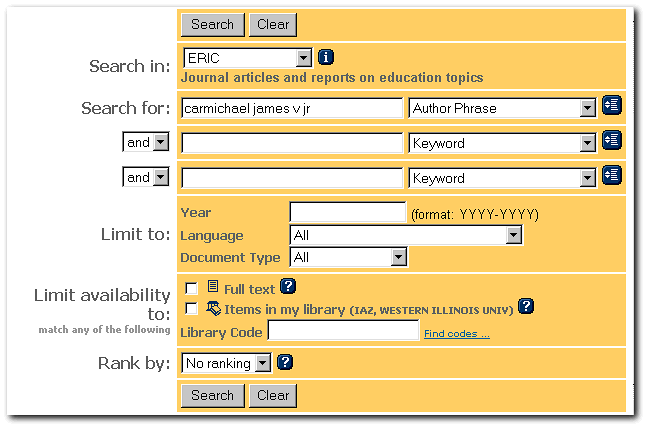
Using the Advanced First Search menu to search an author by their exact name (which often includes a middle name or initial) entails using the Author Phrase delimiter. (See below). The search name must be an exact match with the database's name. Otherwise, you will get an error.
Why would you want to run an advanced Author search? Say the author you are looking for is named "Joseph R Smith." You're not sure what the "R" stands for. So you run a basic search on "Joseph Smith" that returns 65 articles by a number of different Joseph Smiths. It might take a while picking your author's article out. The more precise "Author Phrase" search gets right to the Joseph Smith you're looking for, "Joseph Richard Smith." Doing this kind of author search requires a few steps. To learn the process, click here.
OVID Author Search
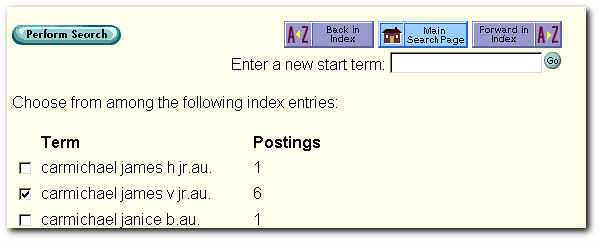
The best way to search an author using the OVID interface is to do an Index search, as below. If you want to see this process step by step, click here.