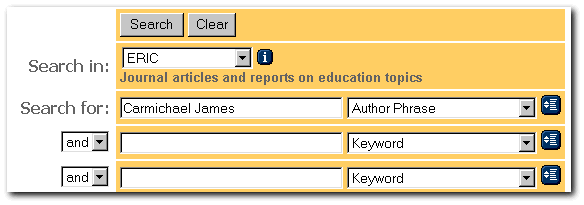
The First Search Interface is particular about how you search for an author. You need to have the author's name exactly as it appears in the database's Names Index--or you will get an error message telling you no such author exists. Happily, searching the Names Index is fairly easy.
If you click here, a second window will open, taking you to the First Search Interface. In the blue menu bar on the left, click on Advanced Search. On the far right side of the advanced interface you will see blue Index Buttons. (See below) These are used to search the various indices.
Fill in the first slot with the author's name, last name, first name. Set the drop box to "Author Phrase." (See below) If you set it simply to Author, the database will gather everyone with your author's last name into one file. If your author's name is, say, Smith that can be annoying.
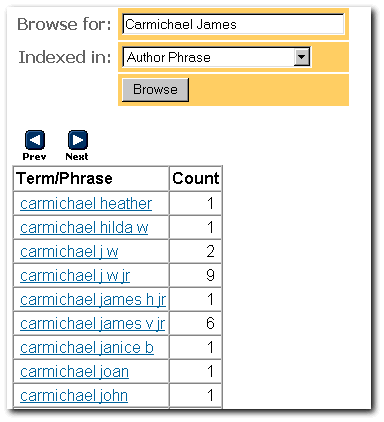
Click on the blue index button to the right of "Author Phrase." You should see a list like the one below. Note that there are two James Carmichaels and a couple of possible James Carmichaels (e.g Carmichael J W JR). Unless a database's indexers link variants of the same name (and most databases do not -- this is time consuming and expensive), it is necessary to do separate searches for the same person under their various names. However, in this case, we can tell that we are dealing with three separate Carmichaels.
We click on Carmichael James V Jr. Why? His name is James. He has the most hits.
After we click on Carmichael's name, our original search is revised:
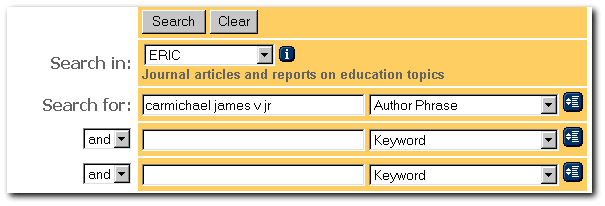
Now click on the Search  button.
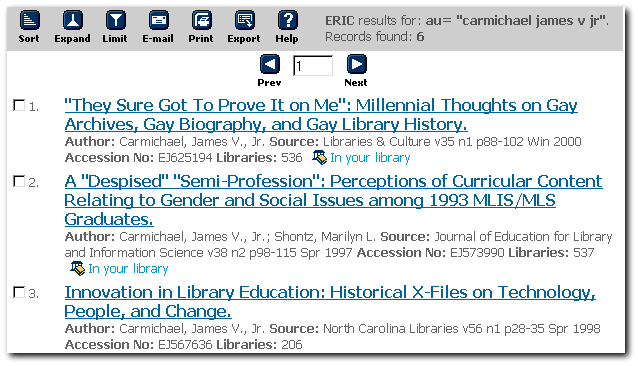
You should get a list for your author like the one below.
button.
You should get a list for your author like the one below.