Locating Information Regarding
retinoic acid
| There are three resource pools we will be looking at: the Internet, our databases, and our catalog |
Database 1 Broad Scientific Focus
Simple Search
Limiting Your Search
However, you can enhance this search by adding in "limiters" that will confine your search to full text, peer reviewed articles. Click on Refine Search, then click in the boxes as below. Then click on Search.

An excellent way to narrow your search is to search the subject headings of the citations for topics that interest you. To get to the subject list click on the citation title.


Click on cell differentiation. This will run a search on that topic alone. Then, add in retinoic acid. Run that search.
Interlibrary Loan
The problem with limiting a search to full text is, you lose a lot of good articles--as, for example, the one above. How would you find this if you wanted it? Two steps:
- See if WIU subscribes to the journal. Consult the list of journals we subscribe to. Be aware that sometimes journals can have very similar names. If you have any problems using this list, ask a librarian for help. For example, putting in the journal above I get:
Is apparently not the journal Leukemia mentioned in the citation above. We don't have that journal.
- But, if we do have the journal, it will either be in paper format on the third floor or embedded in a database. If it's in a database, a link to that database will appear in the list. Click on it and do a title search for your article. Again, if you have problems, ask a librarian for help.
- If we don't have the journal, use interlibrary loan. Interlibrary loan allows you to acquire the article from another library. You can make up to five requests a day. It's usually free. Even when it's not, the library will contact you to ask if you want to pay. Feel free to say, "No thanks."
Finding Literature Reviews in Academic Search Elite
A "literature review" is an essay that provides an overview of research undertaken and published in a particular field or on a particular topic. A writer gathers together all the relevant published material on a topic, summarizes it and comments upon it. So, for example, if you were interested in what has been written about Vitamin A in recent years, an easy way to get a feel for that would be to read a literature review. You can then use the bibliography that comes with the review to locate the original articles and read more in depth. Finding literature reviews in Academic Search Elite is a fairly simple matter. See below.

Database 2 Narrow Scientific Focus
Biological and Agricultural Index
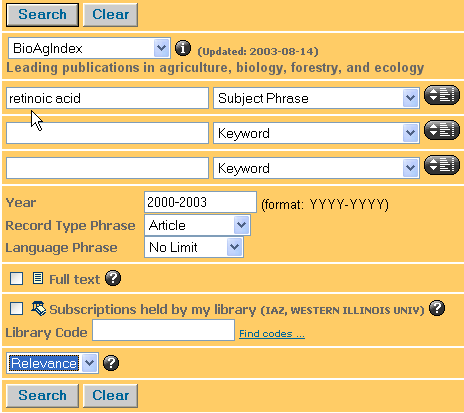
The trick to using this database is setting the parameters you want. Here, I asked that "retinoic acid" be searched as a subject; that it only look for articles and only in the years 2000-2003 (inclusive); that the results be ranked by Relevance. I could have checked full text or "Subscriptions Held by My Library." If you want full text, go ahead and click "Subscriptions Held by My Library." As this will get you both the paper holdings and the digital.
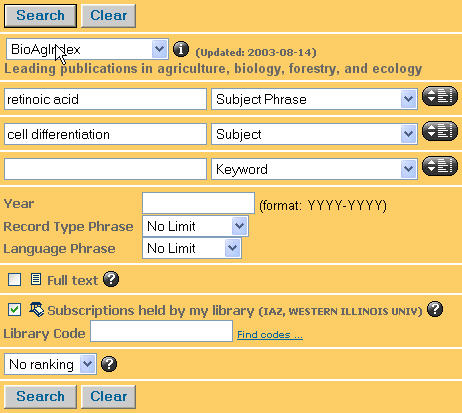
Here is a slightly more complex search. Note when you only use one word, you are searching a "subject." More than one word, "subject phrase." Note, too, that I checked the Subscriptions Held in My Library" box. Because I added a second term, I removed the year parameters--e.g. I relaxed the search in one area when I confined it in another.
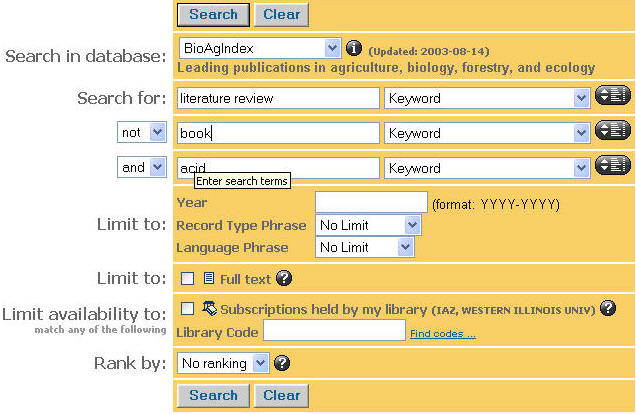
Finding a Literature Review in Biological Agricultural Index
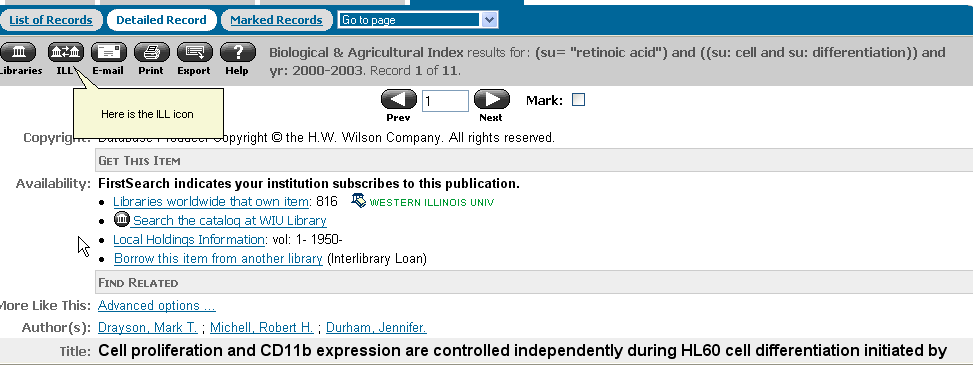
Interlibrary Loan from Within First Search.
Biological and Agricultural Index is a First Search database. First Search is a large family of databases, many of which WIU subscribes to. All First Search databases have the ability to launch interlibrary loan requests from within an article citation.
When you open a citation to an article you want, but which belongs to a journal WIU does not subscribe to, click on the ILL icon on the toolbar. This will open up a menu. Fill out the required information.
Database 3 Broad Scientific Focus
Searching by Article Type
| Another useful way to limit your results is to search by article type. Feature articles are the lead articles in journals. Limiting your search to feature articles will prevent you from pulling up book reviews, interviews, etc. | 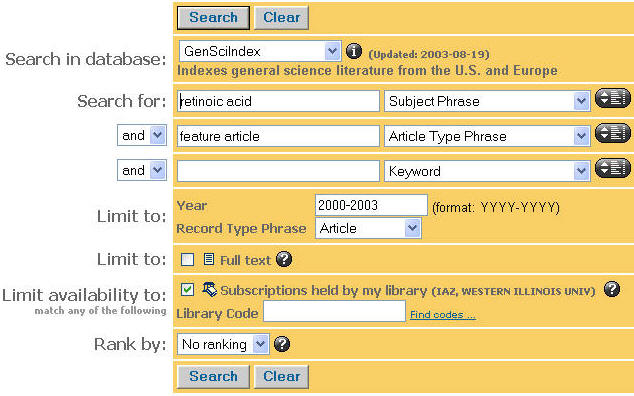 |
Database 4 Focus on Health / Treatment
Health Source Nursing Academic
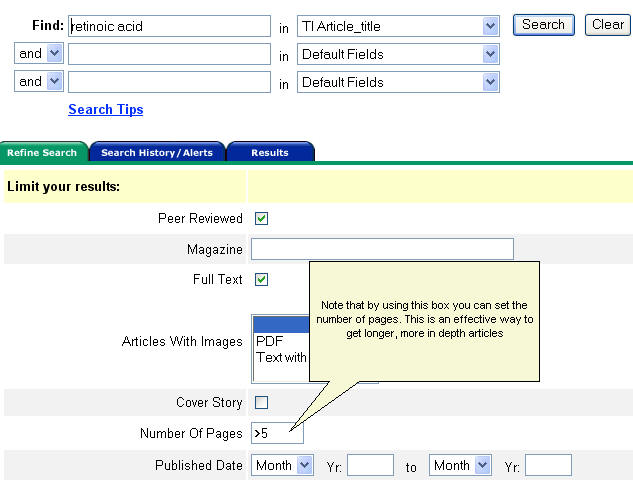
This database searches like Academic Search Elite--and may contain many of the same articles. Below is a search that asks for articles that have the words "retinoic acid" in the title and are greater than 5 pages long. Searching by page length is a good way to get longer, more in depth articles.
Database 5 Medical / Treatment Focus
Finding a Literature Review in Medline
| Medline is the world's largest database of medical information. It can be a bit tricky to use--if only because it offers so many choices. On the other hand, it will deliver information to you that no other database can. If you are not finding what you want in Medline, ask a librarian for help. | 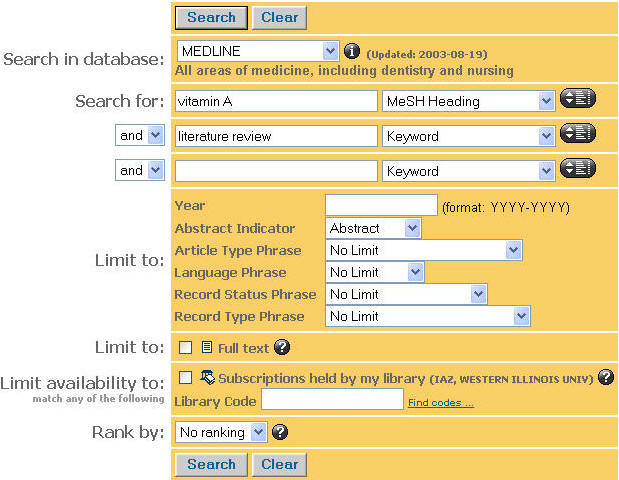 |
Limiting by language
| Medline allows you to search for articles by language. You may want to default to English. "MeSH heading" stands for "Medical Subject Heading." If possible you want to search by MeSH headings to focus your search. | 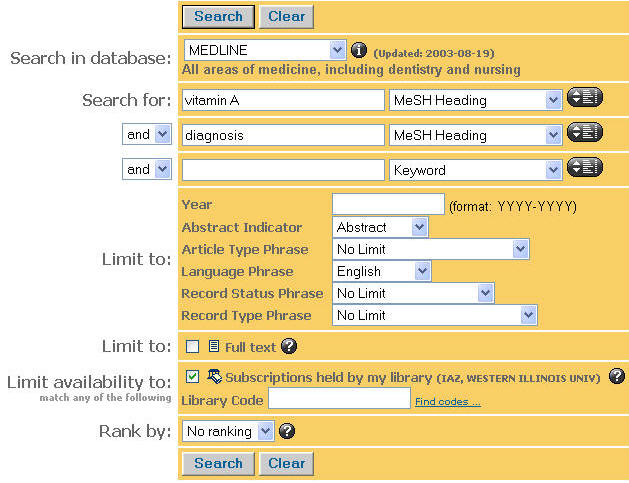 |
Searching by chemical substance
| Medline allows you to search by chemical substance. Note that this search is also limited by year and to items in our library. | 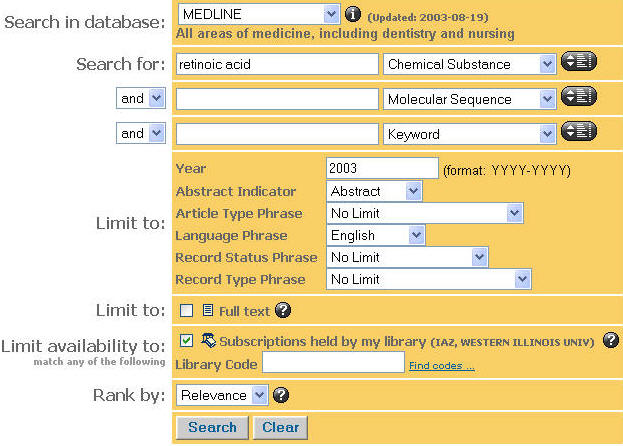 |
Database 6 Multidiscplinary Focus
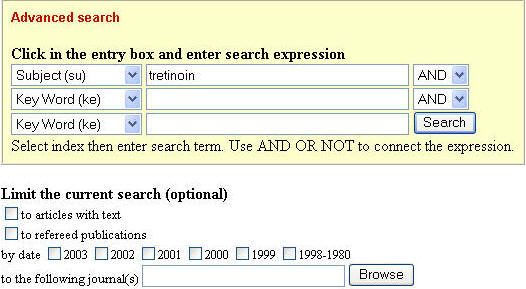
| Infotrac is a broad multidisciplinary database that you might not think contains a considerable body of scientific literature, but it does. |
 |
Database 6 Historic Focus
JSTOR is a unique database that allows electronic access to the historic journal literature. The database contains articles of scientific/historic interest back to 1665. Here, for example, is an early article mentioning retinoic acid.
We have a web page that discusses searching JSTOR.
USING GOOGLE
The Internet is an appropriate place to look for scientific information, particularly reports put out by the government, by universities, and by organizations. If we restrict our searches to these areas, we can be more or less sure of getting reliable information. We will start with the the United States Government, the largest producer of scientific research in the world.
Go to Google. To restrict a search to the government, simply type in your search term and the command site:gov as below.

Likewise to restrict a search to educational institutions you'd use site:edu

Or site:org

Retinoic Acid is associated with birth defects. Add that into the mix.

Intitle:
Here's another search, using the intitle: command. Intitle: restricts the search to words that appear in a web page's title. Note there is no space between intitle: and the word or phrase it captures. site:gov intitle:"vitamin A" "birth defects"
A companion search to the one above would use the word "embryo."

Using the synonym operator "~" The tilde "~" functions as a synonym operator. Placing it before a word causes Google to consult a list of synoyms and look for results that match. The intitle: command restricts the search to words that appear in a web page's title. Complex searches in Google require the use of parentheses.
site:gov (intitle:tretinoin | intitle:retinoic | intitle:retinoids) (~research | ~data)
The above search asks that either "tretinoin," "retinoic," or "retinoids" be found in the title of a page and that "research" or "data" (or synonyms of those words) also be present--and that all of the pages be restricted to government web pages. The | operator = "or."