|
 |
The  indicates that WIU has (or had) a subscription to this journal. The next
step in retrieving this article is to determine whether WIU's subscription
covers the year (2001) in which this article was published. This is done
by checking two lists: The Print Holdings List and the [Digital] Full Text
List. These lists are accessed from the library's home page. http://www.wiu.edu/library/index.php
indicates that WIU has (or had) a subscription to this journal. The next
step in retrieving this article is to determine whether WIU's subscription
covers the year (2001) in which this article was published. This is done
by checking two lists: The Print Holdings List and the [Digital] Full Text
List. These lists are accessed from the library's home page. http://www.wiu.edu/library/index.php |
|
 |
|
 |
|
 |
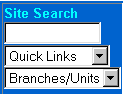
At the library's
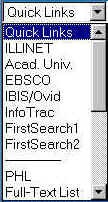
home page, click on the Quick Links down arrow. At the bottom of the list
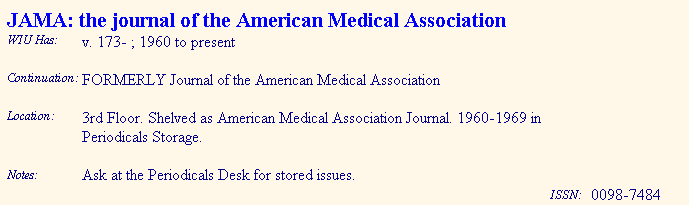
of links that appears, choose PHL. The PHL will open. Type the name of the
journal (in this case, JAMA) into the search area. You should see the
record below. This indicates that we have print copies of JAMA from 1960
forward. The issues 1960 to 1969 are in storage--to get those ask for them
at the circulation desk. The rest are on the third floor. However, it is
still possible that we have JAMA in digital format. In the upper
right hand corner the PHL there is a link  http://www.wiu.edu/library/fulltext/titles/
Go to this page and run a search on JAMA. You should get a result that
looks like the table below.
http://www.wiu.edu/library/fulltext/titles/
Go to this page and run a search on JAMA. You should get a result that
looks like the table below. |
|
 |
| This tells us
that two databases contain full text articles from JAMA, HealthInfo and
InfoTrac. To retrieve article above, then, all we need to do is run a
title (using the title of the article in the citation above) search in
either of those databases--which you could do by clicking on the link
associated with that database. |
|
|