MASA Online Math Games and Activities
Page made especially for the Teachers and Students at U.T.H.S. Summer 2004 Workshops and Academy

|
MASA Online Math Games and ActivitiesPage made especially for the Teachers and Students at U.T.H.S. Summer 2004 Workshops and Academy |
|
Platonic Solids - Investigate the five Platonic solids (tetrahedron, cube (hexahedron), octahedron, dodecahedron, and icosahedron). Rotate the shape. Shift-click the edges and the faces to color (and count them). Can you make V - E + F = 2? (vertices - edges + faces = two)
Isometric Drawing Tool - Drag cubes to the drawing area to make 3D drawings. Can view in 3D or from top, front, or right side.
Cyberchase Point of View Game - Draw the side views for each of four people.
Shape Explorer - Click "Show Score" to keep track of your number correct and incorrect. A shape is given and you have to determine the area and perimeter. Get 4 out of 5 correct and raise your hand for a sticker. ("Adjust the maximum size" three-clicks-to-the-right of the minimum.)
Area Explorer - Set the perimeter and then change the shape and see what areas you can get. All shapes made of unit squares.
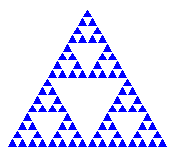
For Fun: Explore Sierpinski's Triangle and Sierpinski's Carpet.
---------------------------
Tessellation Applets
MASA* Online Math Games and Activities
*Mathematics And Science Academy, held at United Township High School,
July 26-30, 2004. Sponsored by Western
Illinois University.
James R. Olsen,
Western Illinois University
E-mail: jr-olsen@wiu.edu
Page last updated:
January 12, 2010